AI image generators have made it much easier to create beautiful images without professional design skills. You can simply describe what you want in a text prompt, and an AI tool can turn that idea into an image within seconds.
Whether you want realistic portraits, cinematic scenes, social media graphics, product concepts, illustrations, or creative artwork, there are now many AI tools available for the job.
However, every AI image generator works a little differently. Some are better at realistic images, some handle text better, while others give you more control over styles and editing.
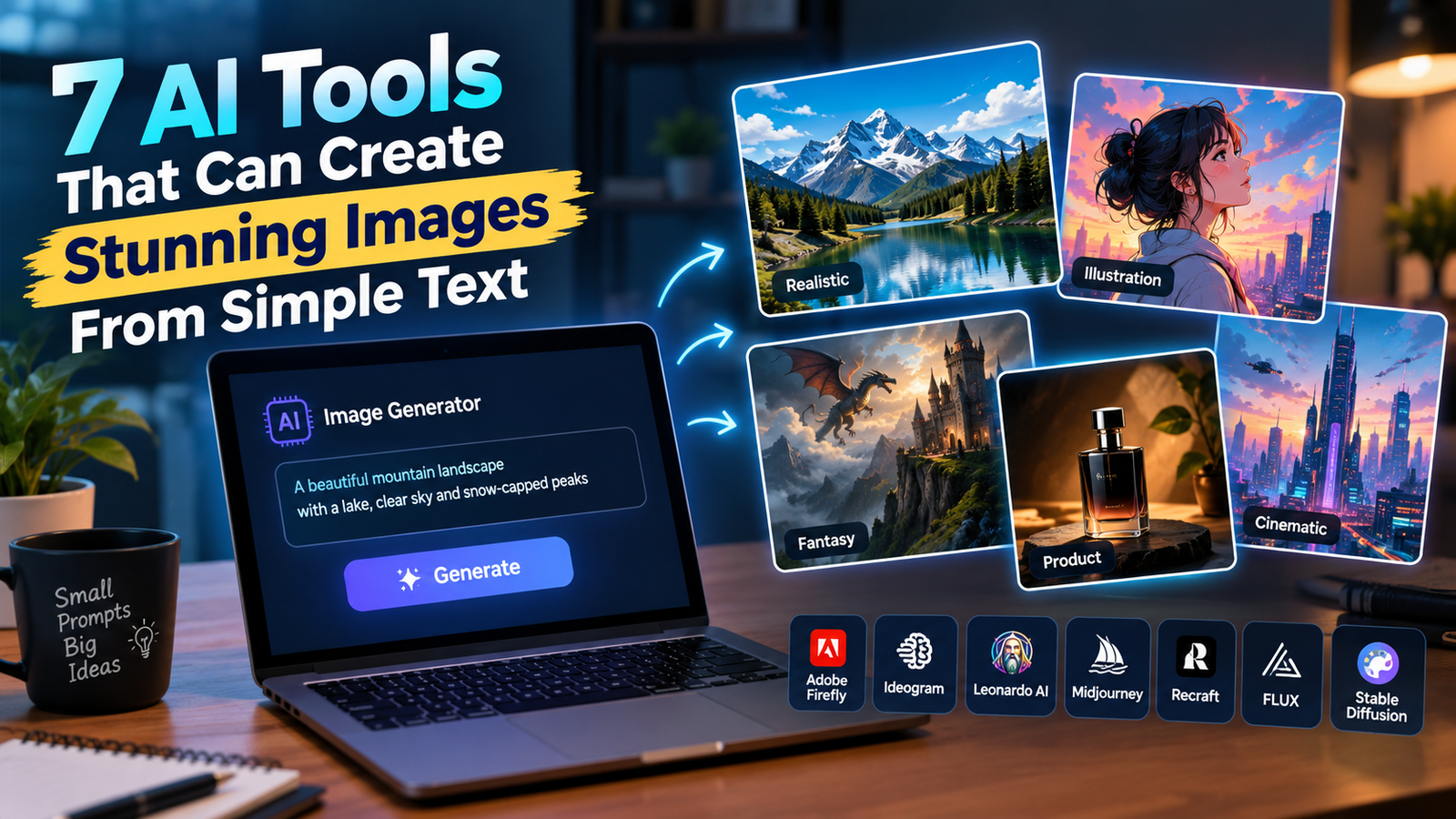
In this article, we will look at 7 AI tools that can create stunning images from simple text prompts and explain what each tool is best for.
What Is an AI Image Generator?
An AI image generator is a tool that uses artificial intelligence to create images from written instructions.
These written instructions are usually called prompts.
For example, you can type:
“A young woman walking through a rainy city at night, neon lights reflecting on the wet street, cinematic photography, realistic skin texture.”
The AI reads the description and creates an image based on it.
Modern AI image generators can understand different details, including:
- People and objects
- Locations
- Lighting
- Colors
- Clothing
- Camera angles
- Photography styles
- Art styles
- Backgrounds
- Moods and atmosphere
This makes AI image generation useful for both beginners and professional creators.
1. Adobe Firefly
Adobe Firefly is one of the most popular AI image-generation tools from Adobe. It allows users to create images from text descriptions and provides different controls for generating and refining visuals.
Firefly is particularly useful for people who already work with Adobe’s creative tools, but beginners can also use it to experiment with AI-generated images.
What Can You Create With Adobe Firefly?
You can use Firefly to create:
- Realistic photographs
- Illustrations
- Product concepts
- Marketing visuals
- Creative backgrounds
- Social media graphics
- Concept artwork
- Advertising images
For example, you could enter a prompt like:
“A luxury perfume bottle placed on a black marble table, dramatic studio lighting, golden reflections, premium advertising photography.”
Firefly can turn the description into a visual concept that you can further refine.
Best For
Best for: Designers, marketers, content creators, and users who already use Adobe’s creative ecosystem.
Why Try It?
One of the biggest advantages of Firefly is that it fits into a wider creative workflow. Instead of only generating an image, you can use Adobe’s other tools to continue editing and designing your project.
2. Ideogram
Ideogram is an AI image generator that is especially useful when you want text to appear inside the generated image.
AI-generated text has traditionally been difficult for many image models. Ideogram focuses heavily on creating images where typography and readable text are important.
This makes it useful for posters, thumbnails, advertisements, signs, packaging concepts, and social media graphics.
What Can You Create With Ideogram?
Ideogram can be useful for creating:
- Posters
- YouTube thumbnails
- Advertisements
- Typography designs
- Product packaging concepts
- Social media graphics
- Logo ideas
- Creative illustrations
For example:
“Modern technology poster with the headline ‘AI IN 2026’, futuristic city background, glowing digital elements, clean professional design.”
Instead of manually designing the entire poster, you can use the AI to generate the initial visual concept.
Best For
Best for: Posters, thumbnails, advertisements, and images where readable text is important.
Why Try It?
If you frequently create graphics containing words, Ideogram is worth trying because text generation is one of the areas where it stands out.
3. Leonardo AI
Leonardo AI is another popular platform for creating images from text prompts. It gives users more creative controls than a very basic image generator.
You can use it to experiment with different visual styles, models, dimensions, and reference images.
What Can You Create With Leonardo AI?
Leonardo AI can be used for:
- Realistic portraits
- Character designs
- Fantasy artwork
- Game concepts
- Digital illustrations
- Product concepts
- Backgrounds
- Social media images
For example:
“A futuristic Indian city in 2050, flying vehicles above busy streets, modern skyscrapers, warm sunset lighting, highly detailed cinematic environment.”
You can then experiment with different settings and variations until you get a result that matches your idea.
Best For
Best for: Creators who want more control over styles, models, and visual consistency.
Why Try It?
Leonardo AI is useful if you generate images regularly and want more control instead of simply entering a prompt and accepting the first result.
It can also be useful for creators working on characters, fantasy artwork, game concepts, and other projects where maintaining a particular visual style matters.
4. Midjourney
Midjourney is one of the most recognizable names in AI image generation.
It became popular because of its ability to create highly detailed, artistic, cinematic, and realistic-looking images from relatively simple prompts.
The platform is particularly interesting when the visual style of the final image is important.
What Can You Create With Midjourney?
You can create:
- Cinematic portraits
- Fashion photography
- Fantasy scenes
- Concept art
- Architecture
- Editorial-style images
- Surreal artwork
- Realistic environments
For example:
“A cinematic portrait of a woman standing beside a vintage car in the desert, golden-hour sunlight, dramatic clouds, realistic photography, shallow depth of field.”
A prompt like this gives Midjourney information about the subject, location, lighting, photography style, and mood.
Best For
Best for: Cinematic images, artistic visuals, fashion concepts, fantasy artwork, and highly detailed scenes.
Why Try It?
If your main priority is creating visually impressive images rather than simple graphics, Midjourney is one of the tools worth exploring.
It is particularly popular among creators who want a strong artistic look in their generated images.
5. Recraft
Recraft is an AI-powered creative platform with a strong focus on design and visual content.
Unlike tools that are mainly focused on generating individual pictures, Recraft also provides features aimed at designers, including vector graphics, illustrations, mockups, and other creative assets.
What Can You Create With Recraft?
You can use Recraft for:
- Logo concepts
- Icons
- Illustrations
- Advertisements
- Product visuals
- Brand graphics
- Character artwork
- Vector designs
- Creative images
For example:
“Minimal premium coffee brand illustration, elegant coffee cup on a dark background, warm highlights, clean modern branding style.”
This type of prompt can produce a visual that is more suitable for a design project or branding concept.
Best For
Best for: Branding, marketing graphics, illustrations, and design-focused projects.
Why Try It?
Recraft is useful when you don’t just want a random AI-generated picture but need a visual that can fit into a larger design project.
Its focus on design assets and visual consistency makes it an interesting option for creators and designers.
6. FLUX
FLUX is a family of AI image-generation models developed by Black Forest Labs.
It is known for producing detailed images while following text prompts closely. FLUX models can be used for both image generation and image-editing workflows, depending on the model and platform being used.
What Can You Create With FLUX?
FLUX can be used for:
- Photorealistic images
- Product concepts
- Creative artwork
- Characters
- Landscapes
- Marketing visuals
- Concept designs
- Image editing
For example:
“A realistic photograph of a red sports car parked outside a modern glass house during sunset, reflections on the car body, professional automotive photography.”
A detailed prompt like this gives the model clear instructions about the subject, environment, lighting, and photography style.
Best For
Best for: Realistic images, advanced creators, developers, and users who want more control over AI image generation.
Why Try It?
FLUX is particularly interesting because its models are used across different AI platforms and workflows.
It can be a good option for people who want to explore AI image generation beyond simple consumer-facing interfaces.
7. Stable Diffusion
Stable Diffusion is one of the most important names in the AI image-generation space.
Unlike many simple online image generators, Stable Diffusion has a large ecosystem of models and tools that allow users to customize their image-generation workflow.
This makes it particularly interesting for advanced users and AI enthusiasts.
What Can You Create With Stable Diffusion?
Depending on the model and interface you use, Stable Diffusion can create:
- Realistic portraits
- Anime artwork
- Digital illustrations
- Fantasy scenes
- Concept art
- Wallpapers
- Product concepts
- Image-to-image creations
For example:
“A peaceful mountain village during early morning, mist between the mountains, warm sunlight, realistic landscape photography.”
The final result can vary depending on the model, settings, and interface you choose.
Best For
Best for: Advanced users, AI enthusiasts, creators, and people who want greater customization.
Why Try It?
Stable Diffusion gives users more freedom to experiment with different models and settings.
It may take more time to learn compared with simpler AI image generators, but that additional control can be useful for people who want to create a more customized workflow.
Which AI Image Generator Should You Choose?
There is no single AI image generator that is perfect for everyone.
Your best option depends on the type of image you want to create.
| AI Tool | Best For |
|---|---|
| Adobe Firefly | Creative work and Adobe users |
| Ideogram | Text inside images |
| Leonardo AI | Creative control and character designs |
| Midjourney | Cinematic and artistic images |
| Recraft | Branding and design |
| FLUX | Realistic images and advanced workflows |
| Stable Diffusion | Customization and experimentation |
If you are a beginner, Adobe Firefly or Leonardo AI can be good places to start.
If you need posters or graphics with readable text, Ideogram is worth trying.
For cinematic and artistic images, Midjourney is a popular choice.
If your work involves branding and design, Recraft can be useful.
For more advanced experimentation, FLUX and Stable Diffusion are worth exploring.
How to Write Better Prompts for AI Image Generators
The prompt you write has a major effect on the image you receive.
A very basic prompt such as:
“A girl in a city.”
doesn’t give the AI much information.
Instead, you could write:
“A young woman walking through a modern city at night, neon signs in the background, light rain, cinematic photography, realistic skin texture, shallow depth of field.”
The second prompt provides much more direction.
A Simple Prompt Formula
A useful structure is:
Subject + Location + Action + Lighting + Style + Camera + Details
For example:
“A young man sitting in a vintage cafe, reading a book, warm window light, cinematic photography, 50mm lens, shallow depth of field, realistic skin texture.”
You don’t need to include every element in every prompt. Add the details that are important for your particular image.
Don’t Make Your Prompts Too Complicated
A longer prompt isn’t always a better prompt.
One common mistake is adding too many unrelated instructions.
Instead, focus on the most important elements:
- Main subject
- Environment
- Lighting
- Composition
- Visual style
- Important details
Start with a simple prompt and then improve it after seeing the generated image.
This approach can be faster than trying to create a perfect prompt on your first attempt.
Why AI-Generated Images Sometimes Look Wrong
AI image generators have improved significantly, but they aren’t perfect.
You may still see problems such as:
- Strange hands
- Incorrect fingers
- Distorted faces
- Unnatural eyes
- Broken text
- Incorrect reflections
- Strange shadows
- Objects in the wrong position
- Repeated objects
- Unnatural body proportions
This is why you should always check an AI-generated image carefully before publishing or using it.
An image may look perfect when viewed quickly but reveal mistakes when you zoom in.
What Can You Use AI-Generated Images For?
AI-generated images can be useful for much more than social media posts.
Blog Images
You can create custom illustrations and visual concepts for your articles.
YouTube Thumbnails
AI can help generate backgrounds, characters, objects, and other visual elements for thumbnails.
Product Concepts
Businesses can use AI images to visualize early product ideas before creating actual designs.
Wallpapers
You can create personalized wallpapers for phones, tablets, and computers.
Marketing
AI-generated visuals can help create concepts for advertisements and promotional campaigns.
Creative Projects
Artists, designers, and content creators can use AI to explore different visual ideas quickly.
Things to Check Before Publishing AI Images
Don’t immediately publish the first image generated by an AI tool.
Before using it, check the image carefully.
Look for:
- Face and eye problems
- Incorrect hands
- Extra fingers
- Strange objects
- Broken text
- Unnatural shadows
- Incorrect proportions
- Unwanted elements
- Strange reflections
If you find a problem, modify your prompt and generate another version.
A few extra minutes of checking can make the final image look much more professional.
What About Copyright and Commercial Use?
This is an important consideration when using AI-generated images.
You should not assume that every image created with an AI tool can automatically be used anywhere.
Different AI platforms have different rules regarding:
- Commercial use
- Ownership
- Generated content
- Trademarks
- Logos
- Copyright
- Public figures
- Free plans
- Paid plans
If you want to use an AI-generated image for a business, advertisement, product, or monetized website, check the current terms of the specific AI platform and plan you’re using.
You should also be careful when generating images that imitate copyrighted characters, brands, logos, or another creator’s work.
Free vs Paid AI Image Generators
Many AI image generators provide free access, but free plans usually have some limitations.
Depending on the platform, you may encounter:
- Limited generations
- Daily credits
- Monthly credits
- Lower-resolution output
- Slower generation
- Limited models
- Fewer editing features
- Watermarks
Paid plans generally provide additional credits and features.
If you’re new to AI image generation, there is usually no need to subscribe to several tools at once.
Start with one platform, learn how prompting works, and upgrade only if you actually need additional features.
Final Thoughts
AI image generators have made it much easier to turn simple ideas into impressive visuals.
You don’t need advanced Photoshop skills or professional photography equipment to experiment with image creation anymore.
Tools such as Adobe Firefly, Ideogram, Leonardo AI, Midjourney, Recraft, FLUX, and Stable Diffusion each have their own strengths.
If you need text inside an image, Ideogram is worth considering. If you want cinematic and artistic visuals, Midjourney can be a strong choice. Recraft is useful for design-focused projects, while FLUX and Stable Diffusion offer interesting options for users who want more control.
The most important thing is not to expect the first generated image to be perfect.
Write a clear prompt, generate a few variations, check the results carefully, and improve your instructions when necessary.
With a little practice, even a simple sentence can become a detailed and professional-looking image.
Frequently Asked Questions
1. What is the best AI tool for generating images from text?
There is no single best tool for everyone. Adobe Firefly, Ideogram, Leonardo AI, Midjourney, Recraft, FLUX, and Stable Diffusion are all useful for different purposes.
2. Can AI generate realistic photographs?
Yes. Modern AI image generators can create highly realistic-looking portraits, landscapes, products, environments, and cinematic scenes.
3. Which AI tool is best for text in images?
Ideogram is a good option when readable text is an important part of the generated image.
4. Can I use AI-generated images on my website?
This depends on the platform’s current terms and the plan you use. Always check the applicable commercial-use and licensing rules before using images commercially.
5. Do I need design skills to use AI image generators?
No. Beginners can start with simple prompts. Learning how to describe subjects, lighting, composition, and style can help you get better results.
6. Are AI-generated images always perfect?
No. AI can still make mistakes involving hands, faces, text, objects, and small details. Always inspect an image before publishing it.
7. Can I create different styles from the same idea?
Yes. You can change your prompt to create photographs, illustrations, cinematic scenes, fantasy artwork, posters, and many other visual styles.