
Smartphones have become an important part of our daily lives. We use them to stay connected with family and friends, attend online classes, manage work, make payments, edit photos, watch videos, read the news, and learn new skills.
But a smartphone is only as useful as the apps installed on it.
The right app can save time, improve productivity, help you learn something new, or make everyday tasks much easier. At the same time, installing too many apps without checking them can create problems such as unnecessary notifications, storage issues, privacy concerns, and unwanted subscriptions.
With thousands of apps available today, finding the right one is not always easy. Two apps may offer similar features but provide very different experiences.
That is why it is important to understand what an app actually offers before installing it.
In this guide, we will explore some of the most useful app categories in 2026, explain what to look for when choosing an app, and share simple tips for using smartphone apps safely and effectively.
Why Choosing the Right Apps Matters
Modern smartphones can perform hundreds of tasks, but you do not need hundreds of apps to take advantage of those capabilities.
A good note-taking app, for example, can help you remember important ideas, create study notes, or make a simple shopping list. A cloud storage app can keep your important files accessible across different devices. A photo editing app can help you improve pictures without needing a computer.
The challenge is deciding which applications are actually worth installing.
Before downloading a new app, ask yourself a few basic questions:
- Does this app solve a problem I actually have?
- Is it developed by a trustworthy company or developer?
- Are the recent reviews positive?
- What permissions does it request?
- Is the app regularly updated?
- Does it clearly explain how it handles user data?
- Is there a subscription or hidden cost?
- Does the free version provide enough value?
These questions take only a minute or two to answer, but they can help you make better decisions.
Best App Categories to Explore in 2026
There is no single app that can be called the best for everyone. The right choice depends on your requirements.
A student may need educational and productivity apps, while a content creator may be more interested in photo and video editing tools. Someone who travels frequently may prefer navigation and travel apps.
Here are some useful categories worth exploring.
1. AI Apps and AI Tools
Artificial intelligence has become one of the biggest developments in modern technology.
AI-powered apps can help users write content, summarize information, generate ideas, translate text, understand difficult topics, edit images, and complete many everyday tasks.
Students can use AI tools to understand complex subjects in simpler language. Writers can use them for brainstorming and drafting ideas. Professionals can use AI applications to organize information and improve productivity.
However, AI tools should be used responsibly. AI-generated information can sometimes be incorrect, incomplete, or outdated. Important information should always be checked using reliable sources.
What to Check Before Using an AI App
Before installing an AI application, check:
- Who developed the app
- What information it collects
- Its privacy policy
- Available security features
- Free and paid features
- Recent updates
- Required permissions
Avoid entering highly sensitive personal information into an AI service unless you understand how that information is handled.
AI can be a powerful tool, but it works best when users combine it with their own judgment.
2. Photo Editing Apps
Smartphone cameras have improved dramatically, and photo editing has become a regular part of creating digital content.
A good photo editor can help you crop and resize images, adjust brightness and contrast, improve colors, remove backgrounds, add text, and apply creative effects.
Some modern editing apps also offer AI-powered features such as image enhancement, background removal, object removal, and portrait adjustments.
You do not need several photo editors for basic editing. In most cases, one reliable application with the right features is enough.
Useful Photo Editing Features
When choosing a photo editing app, look for features such as:
- Crop and resize
- Brightness and contrast adjustment
- Color correction
- Background removal
- Text and stickers
- Filters
- Blur effects
- Basic retouching
- High-quality export
If you create content for social media, it can also be useful to choose an app that supports common formats such as 1:1, 4:5, 9:16, and 16:9.
3. Video Editing Apps
You no longer need a powerful computer to create a good-looking video. Modern smartphones can handle many editing tasks, and mobile video editors have become much more capable.
A good video editing app can help you trim clips, add music, create subtitles, adjust speed, add transitions, and export videos for different platforms.
Before choosing a video editor, check whether it supports:
- High-resolution export
- Multiple video layers
- Text and subtitles
- Audio editing
- Transitions
- Speed controls
- Basic color adjustments
- Different aspect ratios
- Watermark-free export, if required
It is also worth checking the export settings. Some apps may reduce video quality depending on the selected resolution or compression settings.
4. Productivity Apps
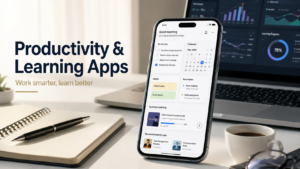
Productivity apps are designed to help users manage their time, tasks, notes, and daily responsibilities.
A simple to-do list can prevent you from forgetting important tasks. Calendar apps can help organize appointments and meetings, while note-taking apps can store ideas, study material, lists, and other information.
However, installing too many productivity apps can have the opposite effect. Instead of making things easier, it can create unnecessary complexity.
For many people, a simple combination of a notes app, calendar, task manager, and cloud storage is enough.
A Simple Productivity System
You can divide your tasks into three basic groups:
Today: Tasks that need to be completed soon.
This Week: Important tasks that can be handled during the week.
Later: Ideas or tasks that are not urgent.
The goal is not to use the most complicated productivity system. The goal is to create a system that you can actually maintain.
5. Learning and Education Apps
Smartphones can be useful learning devices when used correctly.
Educational apps can help users learn languages, practice mathematics, watch lessons, read books, improve professional skills, and explore new subjects.
One of the biggest advantages of learning apps is flexibility. You can study for a short period whenever you have free time.
However, not every educational application provides high-quality information. Before relying heavily on an app, check the quality of its lessons and the reputation of the developer.
Tips for Learning With Apps
Consistency is usually more important than studying for long hours once in a while.
Try spending 20 to 30 minutes learning every day instead of waiting for a large amount of free time.
It is also better to complete a structured course or learning plan before constantly switching between different apps.
6. Communication Apps
Communication apps are among the most frequently used applications on smartphones.
Modern communication platforms allow people to send messages, make voice and video calls, share files, and communicate through groups.
Because these apps can handle personal conversations and information, privacy should be taken seriously.
Before using a communication app, consider:
- What information it collects
- What security features it provides
- What permissions it requires
- How account recovery works
- Whether you can control who contacts you
Never share passwords, verification codes, or other sensitive information with people you do not trust.
7. Cloud Storage Apps
Cloud storage applications make it easier to access files from multiple devices.
You can use cloud storage for documents, photos, videos, backups, and other important files. It can also make changing phones easier because your files may remain accessible after signing into the same account.
However, cloud storage should not be your only backup for extremely important information.
For valuable files, keeping multiple copies is a safer approach. For example, you could keep one copy on your phone or computer, another in cloud storage, and another on external storage.
The exact backup method depends on how important the data is and how frequently it changes.
8. File Manager Apps
File manager applications help users organize documents, downloads, images, videos, and other files.
Most smartphones already include a built-in file manager, and it may be sufficient for everyday use. Third-party file managers can be useful when you need additional features.
Before installing one, check the permissions it requests.
A basic file management app should not normally require access to unrelated features. If an application asks for permissions that do not appear necessary for its main purpose, take a closer look before accepting them.
9. Browser Apps
A web browser is one of the most important applications on any smartphone.
People use browsers for research, online shopping, reading articles, accessing services, watching content, and managing accounts.
When choosing a browser, consider:
- Speed
- Privacy controls
- Security updates
- Tab management
- Password features
- Synchronization
- Tracking protection
- Battery usage
There is no universal “best browser.” The right choice depends on your priorities.
If privacy is important to you, pay particular attention to tracking controls, permissions, and the browser’s data practices.
10. Travel and Navigation Apps
Navigation and travel applications can make it easier to explore unfamiliar places.
They can provide directions, maps, transportation information, location details, and other useful information.
If an app supports offline maps, downloading important areas before a trip can be helpful, especially when you expect poor internet connectivity.
Keep in mind that maps and location information can change. Roads may be closed, businesses may move, and transportation schedules may change.
For important journeys, check your route before leaving rather than relying completely on an app at the last moment.
11. Finance and Payment Apps
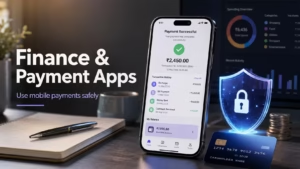
Digital payments and mobile banking have become an important part of everyday life.
Banking and payment applications can allow users to check balances, transfer money, pay bills, and manage transactions from their smartphones.
Because these apps handle financial information, security should always be a priority.
Important Safety Rules
Never share your:
- OTP
- UPI PIN
- Banking password
- Card PIN
- Recovery codes
- Verification codes
Do not provide these details to someone who calls or messages you, even if they claim to be from a bank or payment company.
When possible, download financial applications from official app stores or directly through information provided by the financial institution.
Avoid installing financial apps from unknown websites or links received through random messages.
How to Check Whether an App Is Safe
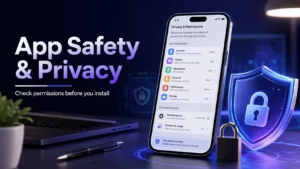
Downloading an app is easy, but spending a little time checking it first can prevent problems later.
Check the Developer
Look carefully at the developer’s name before downloading an application.
Popular apps can sometimes have copycat versions that use similar names, icons, or descriptions.
If an application claims to belong to a well-known company, verify the developer information before installing it.
Read Recent Reviews
Do not rely only on an app’s overall star rating.
Read some recent reviews as well.
Older reviews may not reflect the application’s current condition. Recent users can sometimes point out problems such as crashes, excessive advertising, bugs, or subscription issues.
Reviews are not always accurate, so consider multiple reviews instead of making a decision based on a single comment.
Check App Permissions
Permissions are an important part of app safety.
A navigation app may need location access. A camera application may need access to the camera. A messaging app may require certain communication-related permissions.
But if a simple utility app asks for access to unrelated information, you should question why it needs that access.
Give an app only the permissions it genuinely needs.
Read Privacy Information
Many app stores provide information about how applications collect and use data.
This information can help you understand what you are agreeing to before installing an app.
Pay particular attention when an application handles sensitive information such as contacts, location, photos, financial details, or personal documents.
How to Avoid Fake and Suspicious Apps
Fake applications can sometimes look very similar to legitimate ones.
They may use familiar names, logos, screenshots, or descriptions to make users believe they are official.
To reduce the risk:
- Download applications from trusted app stores.
- Check the developer name carefully.
- Look at recent reviews.
- Check the download information.
- Look at the update history.
- Avoid suspicious pop-up advertisements.
- Do not install unknown APK files without understanding the risks.
- Keep your smartphone software updated.
Installing an APK from outside an official store is not automatically dangerous, but it does require extra caution because the source may not have gone through the same checks as an official app store.
Why App Updates Matter
Many people ignore app updates because they assume updates only add new features.
In reality, updates can also include bug fixes, security improvements, compatibility changes, and performance improvements.
An outdated app may also stop working correctly after your phone receives a major operating system update.
For important applications such as browsers, banking apps, communication tools, and password managers, keeping the software updated is especially important.
Before updating, you can also check the release notes when they are available. They may explain what has changed.
How to Keep Your Smartphone Fast and Organized
Installing too many applications can make your smartphone harder to manage.
Unused apps can occupy storage space, generate notifications, and sometimes use background resources.
Every few months, review the applications installed on your phone.
Consider removing apps that:
- You have not used for a long time
- You no longer need
- Duplicate another application
- Send too many unwanted notifications
- Take up unnecessary storage
- Are no longer supported
You should also review your downloads folder and remove large files that you no longer need.
Be careful with apps that promise to make your phone dramatically faster with one tap. Many smartphones already include built-in storage and performance management features.
Free Apps vs Paid Apps
Free apps can be very useful, but free does not always mean better.
Some free applications are supported by advertisements. Others offer basic features at no cost and charge users for advanced tools.
Paid applications may offer additional features, fewer advertisements, or a different experience.
Before purchasing an app or starting a subscription, check:
- The total price
- Subscription frequency
- Available features
- Free trial terms
- Cancellation process
- Whether the subscription renews automatically
Never start a subscription without understanding how much it costs and when you will be charged.
Be Careful With App Subscriptions
Subscriptions are now common across many types of applications.
Some apps may offer a free trial before automatically starting a paid subscription.
Before accepting a trial, carefully read the terms. If you do not want to continue after the trial, cancel it according to the platform’s instructions before the paid period begins.
It is also a good habit to review your active subscriptions from time to time.
You may find services that you no longer use but are still paying for.
Apps and Battery Usage
Some applications naturally use more battery than others.
Video streaming, gaming, navigation, social media, and apps that frequently use location services can consume significant power.
If your battery is draining faster than usual, check your phone’s battery settings. Most modern smartphones show which applications have used the most battery.
Depending on the situation, you may be able to:
- Reduce unnecessary background activity
- Turn off notifications you do not need
- Limit location access
- Update the application
- Remove an app you rarely use
Remember that battery drain is not always caused by applications. Screen brightness, mobile network signal, battery health, device age, and system settings can also affect battery life.
How to Organize Your Apps
A clean home screen makes it easier to find the apps you use regularly.
Instead of keeping every application on the first screen, organize them into folders.
For example:
Work: Email, documents, meetings, and productivity tools.
Social: Social networking and messaging apps.
Media: Music, video, photo, and entertainment apps.
Finance: Banking and payment apps.
Tools: Calculator, scanner, file manager, and other utilities.
You can also keep your most frequently used applications on the first screen and move less important apps to other screens.
This small change can make your phone feel much more organized.
Don’t Install Apps Just Because They Are Trending
Every week, new applications become popular on social media.
Some are genuinely useful, while others become popular for only a short period.
Popularity alone does not tell you whether an application is right for you.
Before installing a trending app, ask yourself whether you actually need its features.
If you do not have a real use for it, there is no reason to install it just because everyone is talking about it.
A smartphone does not need to contain every application that becomes popular online.
How to Find Useful New Apps
Finding good applications requires a little research.
You can discover new apps through:
- Official app store recommendations
- Technology websites
- Developer announcements
- Detailed app reviews
- Trusted technology communities
- Recommendations from people you know
However, do not install an application simply because someone calls it “the best app.”
Look at what the application actually does and decide whether its features match your needs.
A good app guide should help you understand the advantages, limitations, cost, and privacy considerations of an application instead of simply telling you to install it.
What Makes an App Truly Useful?
An app does not need hundreds of features to be useful.
Sometimes the best application is the one that performs one specific task reliably and makes that task easier.
For example, a simple notes application may be better for you than a complicated productivity platform if all you need is a place to save quick ideas.
Useful apps often share several characteristics:
- Easy-to-understand interface
- Reliable performance
- Regular updates
- Useful features
- Reasonable permissions
- Clear privacy information
- Transparent pricing
- Helpful support
The number of features is less important than how well those features solve your problem.
Common Mistakes People Make With Apps
Smartphone users often make small mistakes that can lead to unnecessary problems.
Installing Too Many Apps
More applications do not automatically mean a better smartphone experience.
Install apps that you genuinely need and remove those you no longer use.
Ignoring Permissions
Do not automatically accept every permission request.
Think about whether the requested access makes sense for the app’s purpose.
Downloading From Unknown Websites
Unknown APK files can create additional security risks.
If you choose to install an app outside an official store, understand the risks and verify the source carefully.
Ignoring Updates
Updates can contain important bug fixes and security improvements.
Keep your important applications reasonably up to date.
Reusing the Same Password
Using one password across multiple accounts can create unnecessary risk.
Where possible, use unique passwords and enable additional security features such as two-step verification.
Sharing Personal Information
Do not provide sensitive information to an application unless you understand why it needs that information and how it will be used.
Forgetting Subscriptions
Check your active subscriptions regularly so that you do not continue paying for services you no longer need.
A Simple App Checklist for Every Smartphone User
Before installing a new application, run through this quick checklist.
1. Do I actually need it?
If you have no clear reason to use the app, you probably do not need it.
2. Is the developer trustworthy?
Check the developer name and look for official information.
3. Are recent reviews reasonable?
Look at recent feedback instead of relying only on the overall rating.
4. What permissions does it request?
Only provide access that is necessary for the application’s features.
5. Does it have a subscription?
Understand the pricing before starting a free trial or entering payment details.
6. Is it regularly updated?
Recent updates can indicate that the developer is actively maintaining the application.
7. Does it handle sensitive information?
If it handles financial, personal, or private information, pay extra attention to security and privacy.
This simple checklist takes very little time and can help you make smarter decisions.
Frequently Asked Questions About Mobile Apps
Which type of apps are most useful?
The answer depends on your needs. Productivity, communication, education, finance, cloud storage, navigation, AI, and photo or video editing apps can all be useful for different users.
Should I install every trending app?
No. Popularity does not guarantee that an app is useful, safe, or suitable for you. Check its features, developer, reviews, permissions, and privacy information first.
Are free apps safe?
A free app is not automatically safe or unsafe. Safety depends on factors such as the developer, permissions, data practices, updates, and how the application is distributed.
Is it safe to download APK files?
APK files from unknown sources can carry additional risks. Whenever possible, use trusted app stores and verify the source carefully before installing an application from outside them.
How many apps should I have on my phone?
There is no fixed number. Keep the apps you actually use and remove unnecessary applications when they no longer provide value.
Should I allow every permission an app requests?
No. Review permissions carefully and provide only the access required for the app’s intended features.
How often should I check my installed apps?
A quick review every few months is a good habit. Remove apps you no longer use and review permissions and subscriptions when necessary.
Final Thoughts
The best apps are not necessarily the most popular apps or the ones with the longest list of features. A genuinely useful app should solve a real problem, work reliably, provide reasonable privacy and security practices, and make your everyday tasks easier.
In 2026, smartphone users have more choices than ever. AI tools, photo editors, video editors, productivity apps, educational platforms, cloud storage services, communication tools, and finance applications can all add value to a smartphone.
But more choice also means that users need to be careful.
Before installing an application, take a moment to check the developer, recent reviews, permissions, privacy information, update history, and pricing. Keep important applications updated, remove apps you no longer use, and avoid sharing sensitive information unnecessarily.
Most importantly, do not install an app simply because it is trending.
Choose applications based on your actual needs.
A smartphone with a small collection of reliable and useful apps can be much more valuable than a phone filled with hundreds of applications that you never use.
The goal of technology is simple: use it to make everyday life easier, safer, and more productive.