
Do you ever reach the end of the month and wonder where your money went?
A few hundred rupees on food, some money on shopping, a couple of online orders, subscriptions, travel expenses, and small daily purchases can quickly add up. The problem is not always spending too much. Sometimes, we simply don’t notice how often we are spending.
This is where expense-tracking apps can help.
Instead of writing every purchase in a notebook or trying to remember everything at the end of the month, you can record your expenses directly on your phone. Many modern finance apps can also organize spending into categories, show charts, create budgets, and help you understand your spending habits.
You don’t need to become a financial expert to use them. Even recording your daily tea, food, transport, shopping, and other small expenses can give you a much clearer picture of your money.
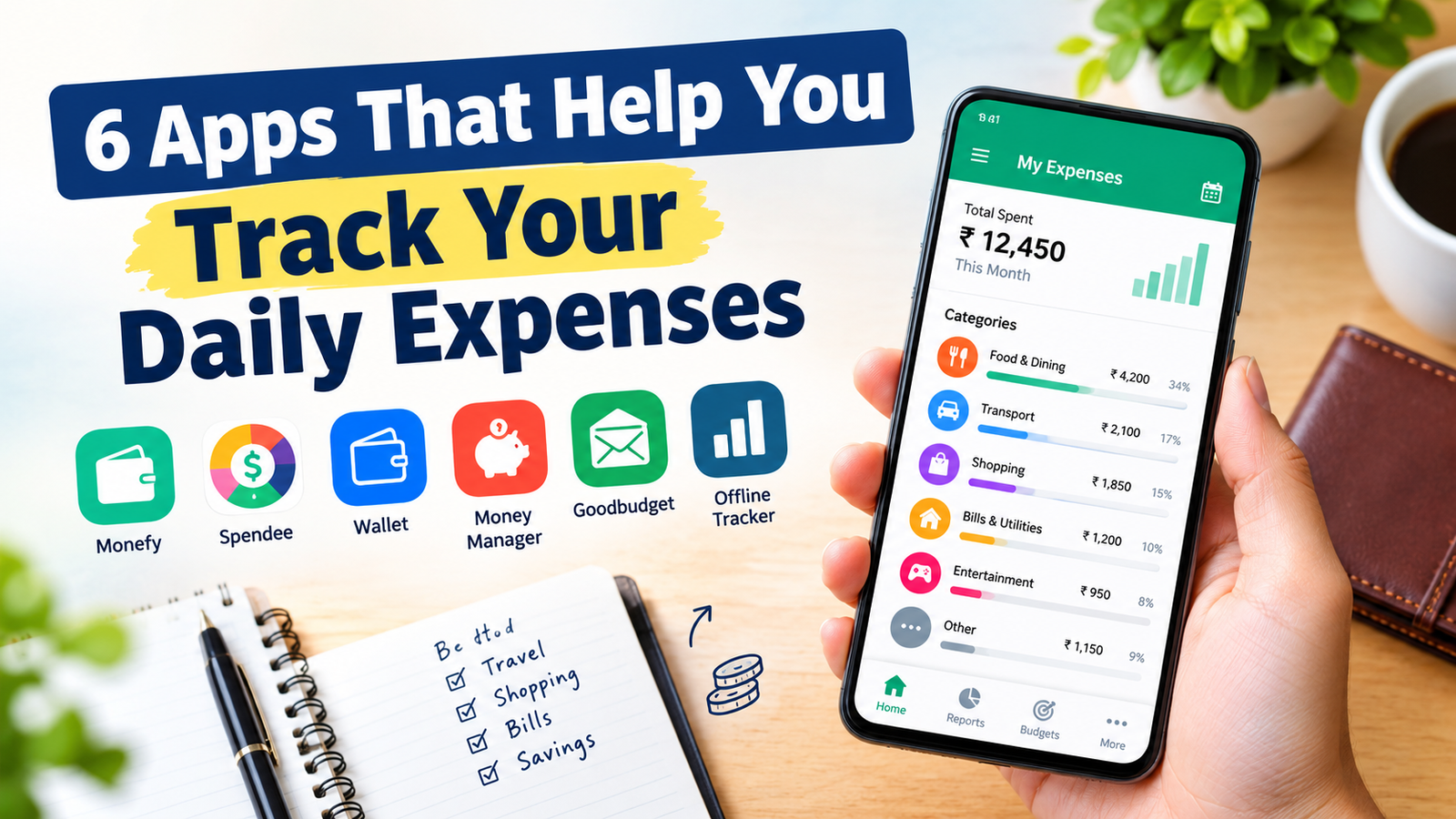
Here are six Android apps worth considering if you want an easier way to track your daily expenses.
1. Monefy – Quickly Record Everyday Spending
If you want an expense tracker that focuses on quick manual entries, Monefy is one of the simpler options.
The basic idea is straightforward: whenever you spend money, open the app, enter the amount, select the category, and save it.
That makes it useful for people who don’t want a complicated financial dashboard.
For example, imagine you spend:
- ₹80 on breakfast
- ₹120 on lunch
- ₹50 on transportation
- ₹200 on groceries
Instead of trying to remember these expenses later, you can record them immediately.
Monefy can then show your spending through charts and expense lists, making it easier to see where your money is going. The app also supports custom categories, multiple accounts, recurring payments, multiple currencies, widgets, backup and export options, and passcode protection.
Why Monefy can be useful
One of its biggest advantages is speed.
You don’t necessarily need to enter a lot of information every time you make a purchase. This can make daily tracking easier to maintain.
It can be especially useful for:
- Students managing a monthly allowance
- People tracking cash expenses
- Freelancers monitoring everyday spending
- Anyone who wants a simple expense diary
- People who don’t want a complicated budgeting system
Monefy is currently available on Google Play and has more than 10 million downloads.
Best for
People who want to record expenses quickly without dealing with a complicated interface.
2. Spendee – Understand Where Your Money Goes
Sometimes simply recording expenses isn’t enough.
You also want to understand your spending patterns.
That’s where Spendee can be useful.
Spendee is designed around expense tracking and budgeting. You can organize spending into categories and view your financial activity in charts and summaries.
For example, after using the app for a few weeks, you may discover that you are spending much more on food delivery than you expected.
That information can be more valuable than simply knowing your total monthly spending.
Spendee currently offers features such as budgets, wallets, multiple currencies, labels, shared finances and an AI receipt scanner. Its current Google Play listing also says that users can connect certain bank accounts and e-wallets and review spending information in one place.
A simple example
Suppose your monthly income or allowance is ₹30,000.
You could organize your spending into categories such as:
- Food
- Transport
- Shopping
- Bills
- Entertainment
- Savings
- Other
After a month, you can look at which categories consumed most of your money.
That can help you make better decisions for the following month.
Why it stands out
Spendee is more suitable if you want something beyond a basic expense diary.
It can help you think about your spending as a complete picture rather than looking at individual purchases.
Best for
People who want expense tracking along with budgets, categories and spending insights.
3. Wallet – Keep Different Financial Accounts Organized
Wallet by BudgetBakers takes a broader approach to personal finance.
Instead of only recording individual purchases, it can help you organize different parts of your financial life in one place.
The current Google Play listing describes features including expense tracking, budgeting, multiple currencies and connections with banks and financial institutions. It can also provide spending and bill information through a central dashboard.
This can be useful if you don’t only use cash.
For example, you might have:
- A bank account
- A credit card
- Cash
- Another financial account
- Different currencies when traveling
Keeping everything mentally organized can become difficult.
An app like Wallet can give you a more structured view of your finances.
Why this can help
One of the biggest problems with personal finance is that money can be spread across several places.
You may know how much cash you have, but forget about a credit-card purchase. Or you may remember your bank balance but forget about upcoming bills.
Having financial information organized in one dashboard can make it easier to understand your overall situation.
Who should consider it?
Wallet may be more suitable for people who want a more complete personal-finance system rather than just a simple expense notebook.
Best for
People who want to organize spending, budgets and multiple financial accounts in one place.
4. Money Manager – For People Who Like Detailed Records
Some people prefer keeping detailed records of their money.
If that’s you, a dedicated money-manager app can be more useful than a very simple expense tracker.
Money Manager apps available on Android generally focus on recording income and expenses, organizing transactions into categories and displaying financial summaries.
Google Play currently lists several Money Manager-style apps with features such as expense tracking, budgeting, charts and financial reports.
The advantage of this type of app is that you can create a habit of recording almost everything.
For example:
Monday
Food — ₹150
Transport — ₹70
Shopping — ₹300
Tuesday
Food — ₹120
Transport — ₹60
Other — ₹100
After several weeks, those individual entries become useful data.
You can start seeing patterns instead of relying on memory.
Why detailed tracking matters
Small purchases are easy to ignore.
Spending ₹50 doesn’t feel significant.
But if you spend ₹50 on small purchases every day, that becomes roughly ₹1,500 in a 30-day month.
The same principle applies to food delivery, subscriptions, online shopping and transportation.
A detailed expense tracker makes these small expenses visible.
Best for
People who want to maintain detailed records of their income and expenses.
5. Goodbudget – Useful for Envelope-Style Budgeting
Not everyone wants to simply track what they have already spent.
Some people want to decide in advance how much they are allowed to spend.
Goodbudget follows an envelope-style budgeting approach.
The idea is simple.
You divide your available money into different spending categories or “envelopes.”
For example:
- Food
- Transportation
- Shopping
- Entertainment
- Bills
- Savings
Instead of thinking, “I have ₹10,000 left, so I can spend it,” you think, “I have ₹2,000 available for food and ₹1,000 for entertainment.”
This can make spending limits easier to understand.
Why envelope budgeting can work
A general bank balance doesn’t always tell you how much you can safely spend.
Suppose you have ₹20,000 in your account.
That doesn’t necessarily mean you have ₹20,000 available for shopping. Some of it may be needed for rent, bills, travel or savings.
An envelope-based system separates those purposes.
This approach can be particularly useful for people who struggle with overspending in specific categories.
Best for
People who prefer setting spending limits before they start spending.
6. A Simple Offline Expense Tracker – For People Who Prefer Privacy
Not everyone wants to connect a finance app to their bank accounts.
If you only want to record expenses manually, an offline-first tracker can be a practical alternative.
For example, some newer Android expense trackers are designed to keep financial information on the device instead of requiring an online account.
One current Google Play example describes itself as an offline-first expense tracker with no account, cloud or advertising requirements. It supports manual expense entries, budgets, spending charts, multiple accounts, bill reminders and other financial-management features.
This type of app can be useful if your main goal is simple:
“I just want to know where my money is going.”
You don’t necessarily need bank synchronization or advanced financial tools for that.
Why offline tracking can be useful
Financial information is personal.
Some users may feel more comfortable manually entering expenses and keeping the data locally rather than connecting their financial accounts to an external service.
However, privacy features vary between apps, so always check the app’s Google Play Data safety section and privacy policy before entering sensitive financial information.
Best for
People who want simple manual expense tracking and prefer an offline approach.
Which Expense Tracker Should You Choose?
There isn’t one app that is perfect for everyone.
The right choice depends on how you normally manage money.
Choose Monefy if:
You want to enter expenses quickly and keep things simple.
Choose Spendee if:
You want categories, budgets and visual spending insights.
Choose Wallet if:
You want to organize multiple accounts and get a broader view of your finances.
Choose a Money Manager-style app if:
You like maintaining detailed records of your income and expenses.
Choose Goodbudget if:
You prefer dividing your money into specific spending categories before spending it.
Choose an offline expense tracker if:
You mainly want manual tracking and don’t want to connect your financial accounts.
How to Actually Use an Expense Tracker
Downloading an expense app is easy.
The difficult part is using it consistently.
You don’t need to record every expense for only two or three days and then forget about the app.
Instead, create a small habit.
Record expenses immediately
If you buy something for ₹100, record it immediately.
Don’t tell yourself that you’ll remember it later.
Small purchases are exactly the ones that are easiest to forget.
Use simple categories
Don’t create 30 different categories if you don’t need them.
Start with something like:
- Food
- Transport
- Shopping
- Bills
- Entertainment
- Other
You can add more categories later if necessary.
Review your spending once a week
You don’t have to check the app every five minutes.
Once a week, spend a few minutes looking at your expenses.
Ask yourself:
Where did most of my money go?
Was any spending unnecessary?
Did I stay within my budget?
These questions can be more useful than simply looking at your bank balance.
Don’t Confuse Expense Tracking With Saving Money
An expense tracker won’t automatically make you rich.
It also won’t stop you from spending money.
Its main purpose is to make your spending visible.
Think of it like a mirror.
A mirror doesn’t change your appearance. It simply shows you what is there.
An expense tracker works in a similar way with money.
If you regularly spend ₹200 on food delivery, the app won’t magically stop the purchase.
But seeing that you spent ₹6,000 on food delivery in a month might make you think differently about your next order.
That’s where the real benefit comes from.
Small Expenses Can Make a Big Difference
One of the biggest reasons to track daily expenses is that small purchases can become large monthly totals.
Imagine spending:
₹80 on snacks
₹100 on coffee
₹150 on delivery
₹100 on an unnecessary online purchase
Individually, none of these seems huge.
But repeated throughout the month, they can add up quickly.
For example, spending an average of ₹150 extra every day would be around ₹4,500 over 30 days.
That’s why tracking small expenses matters.
You may discover that the biggest problem isn’t one expensive purchase.
It could be a collection of small purchases that you barely notice.
Are Expense Tracker Apps Safe?
Expense-tracking apps can handle sensitive financial information, so you should be careful before choosing one.
Don’t install an unknown finance app simply because it has a high rating.
Before using an app, check:
- Who developed the app?
- How many downloads does it have?
- When was it last updated?
- What permissions does it request?
- Does it require a bank connection?
- What does its privacy policy say?
- What information does its Google Play Data safety section mention?
For example, Google Play’s current listings show different data-safety declarations for expense apps, so it’s worth checking the information for the specific app you plan to use.
Also avoid sharing your banking password, UPI PIN, ATM PIN or OTP with any third-party app.
A legitimate expense tracker should not need your OTP or UPI PIN simply to record a manual expense.
Do You Need to Pay for an Expense Tracker?
Not necessarily.
Many expense-tracking apps offer free versions with basic features.
For simple daily tracking, a free version may be enough.
You may only need premium features if you want things such as:
- Advanced reports
- Bank synchronization
- More detailed budgets
- Additional accounts
- Cloud synchronization
- Advanced financial planning
Before paying, use the free version for a few days and see whether you actually use the features.
There is no point paying for an advanced finance app if all you need is a simple place to record your daily spending.
Final Thoughts
Tracking your expenses doesn’t have to be complicated.
You don’t need a spreadsheet, a notebook or advanced financial knowledge.
Your Android phone can handle the basic job with the right app.
Monefy is useful when you want quick manual entries. Spendee is a good option for people who want budgets and spending insights. Wallet is aimed at users who want broader financial organization. Money Manager-style apps can suit people who prefer detailed records, while envelope-based budgeting can help users who want stronger spending limits.
The most important thing, however, isn’t which app you choose.
It’s whether you actually use it.
Start by recording your everyday expenses for one month.
At the end of that month, look at where your money went.
You may be surprised by what you find.
And once you know where your money is going, making better spending decisions becomes much easier.
Frequently Asked Questions
1. What is the easiest way to track daily expenses?
Using a simple expense-tracking app is one of the easiest methods. Record each purchase as soon as you make it and review your spending regularly.
2. Are expense tracker apps free?
Many expense trackers offer free versions. Some advanced features may require a subscription or one-time payment.
3. Can I track cash expenses with these apps?
Yes. Most manual expense trackers allow you to enter cash purchases yourself.
4. Should I connect my bank account to an expense tracker?
You don’t have to. Manual tracking is enough for many people. If you choose bank synchronization, carefully review the app’s privacy policy and data-safety information first.
5. Can an expense tracker help me save money?
It can help indirectly. By showing where your money goes, an expense tracker can make unnecessary spending easier to identify.
6. How often should I check my expenses?
Daily entry is useful, but you don’t need to analyze your finances every day. A weekly review can be enough for many people.
7. Which expense tracker is best for students?
A simple app such as Monefy can be a good starting point because students can quickly record food, transportation, shopping and other everyday expenses without creating a complicated financial system.
8. Do I need to track every small purchase?
If your goal is to understand your spending accurately, yes. Small purchases can add up over time, so recording them can reveal spending patterns that are otherwise easy to miss.