
Emergencies can happen when we least expect them. A sudden health problem, a vehicle breakdown, getting lost in an unfamiliar place, or losing access to important documents can make an ordinary situation stressful very quickly.
Fortunately, the smartphone that most of us carry every day can also be a useful emergency tool. With the right apps, you can quickly find directions, contact someone you trust, access important information, protect your accounts, and deal with unexpected situations more easily.
You do not need to install dozens of applications. A few reliable apps, combined with the emergency features already available on your phone, can be enough for most situations.
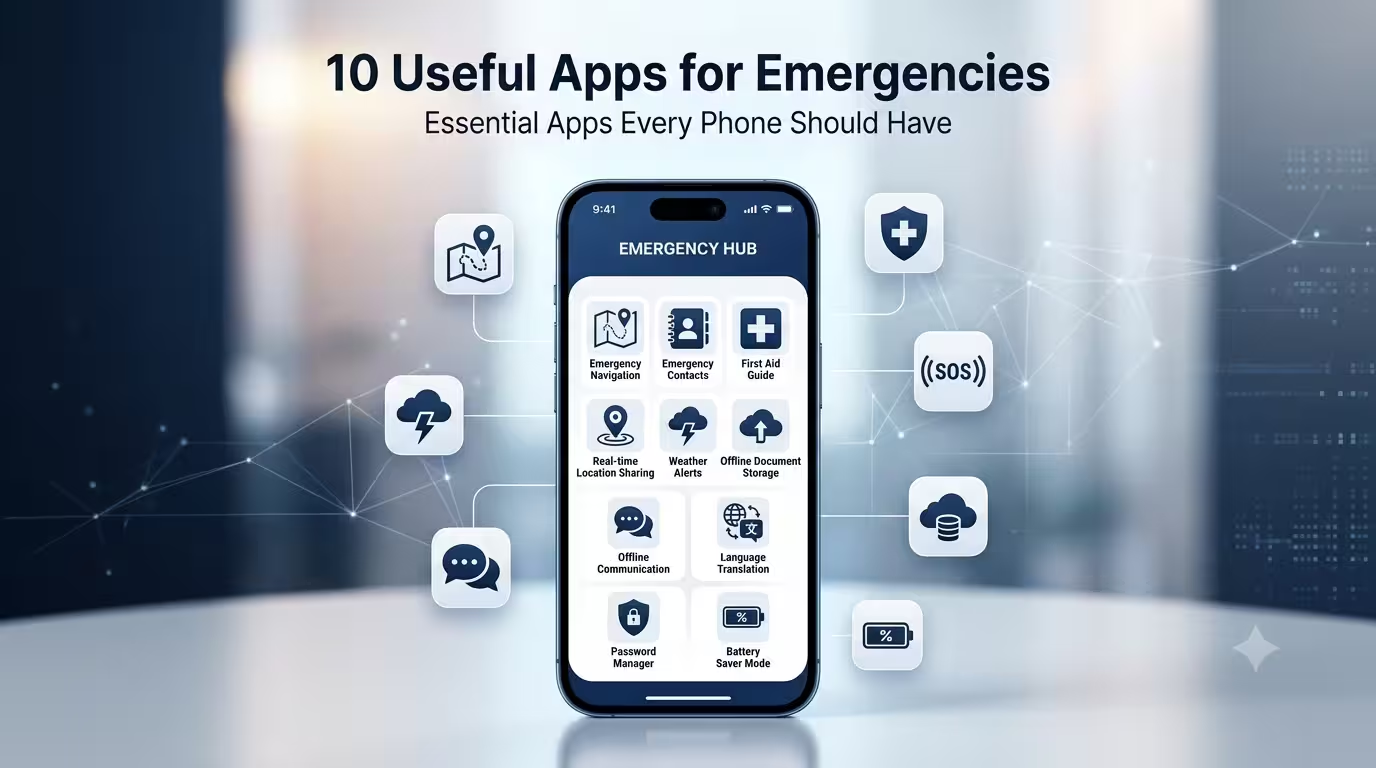
In this guide, we have listed 10 useful types of apps that can be helpful during emergencies. The exact features available may vary depending on your smartphone, location, and operating system. Always download apps from trusted sources and check their permissions before using them.
1. Emergency and Personal Safety Apps
An emergency or personal safety app can be useful when you need to contact someone quickly or share your location.
Depending on the application, safety tools may offer features such as emergency contacts, location sharing, safety check-ins, or quick access to help. Many modern smartphones also include built-in emergency features, so it is worth checking your phone’s settings before installing a separate application.
For example, if you are travelling alone and suddenly feel unsafe, being able to quickly contact a trusted person and share your location can be extremely useful.
When choosing a safety app, look for a reliable developer, clear privacy information, regular updates, and features that actually work on your device.
It is also important to test the app before you need it. An emergency feature that you have never used may be difficult to understand when you are under pressure.
What to look for in a safety app
A useful safety app may include:
- Emergency contact shortcuts
- Location-sharing features
- Safety check-ins
- Quick access to important information
- Clear privacy settings
- Regular security and feature updates
Remember that some safety features require an internet connection, mobile network, GPS, or location services. They should be considered an additional safety tool rather than a replacement for local emergency services.
2. Maps and Navigation Apps
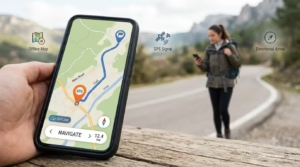
A maps app is one of the most useful applications to have on any smartphone.
Navigation is helpful in everyday life, but it becomes even more important when you are travelling somewhere unfamiliar or trying to find a hospital, police station, petrol station, pharmacy, or another important location.
Modern map applications can provide directions for driving, walking, cycling, and public transportation. They can also show nearby places and help you estimate travel time.
Download offline maps before travelling
Internet connectivity is not available everywhere. You may travel through an area with weak mobile coverage or lose your connection unexpectedly.
If your maps application supports offline maps, download the area you need before starting your journey.
For example, if you are travelling to another city, download the relevant map while you still have a stable internet connection. This gives you an additional option if mobile data stops working.
Before travelling, it is also a good idea to:
- Check your route.
- Save important destinations.
- Download offline maps when available.
- Keep your location services ready.
- Carry a charging cable or power bank.
A navigation app cannot solve every emergency, but knowing where you are and how to reach an important location can make a difficult situation much easier to manage.
3. First Aid and Medical Information Apps
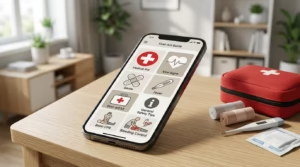
When someone gets injured or suddenly feels unwell, it is easy to panic. A reliable first-aid information app can provide basic information about common emergencies while you arrange professional help.
Depending on the app, you may find information about situations such as minor cuts, burns, bleeding, choking, or other common injuries.
However, medical apps should only be used as an information resource. They should not be treated as a replacement for a doctor, qualified medical professional, or emergency medical service.
Why can a first-aid app be useful?
In a stressful situation, you may forget basic first-aid steps. Having trustworthy information available can help you understand what action may be appropriate while waiting for professional assistance.
When selecting a medical information app, pay attention to its developer and the source of its information. Prefer applications associated with reputable medical organizations or qualified professionals.
You should also avoid apps that make unrealistic medical claims or promise to diagnose serious health conditions without professional evaluation.
Keep important medical information accessible
If appropriate for you, consider keeping essential information available through your phone’s emergency information feature, such as:
- Emergency contact details
- Important allergies
- Current medications
- Relevant medical information
- Other information that may be important during an emergency
Many smartphones provide emergency information features directly through their settings. Check your phone to see what is available.
4. Find My Phone and Device Tracking Apps
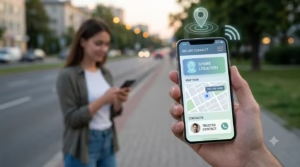
Losing your smartphone can be especially frustrating during an emergency because your phone may contain your contacts, maps, documents, and other important information.
Device-finding services can help you locate a misplaced or lost phone, depending on the device and settings.
Android and iPhone devices already provide official options for locating connected devices. In many cases, these built-in services are preferable to downloading an unknown third-party tracking application.
What can device tracking help with?
If you accidentally leave your phone in a taxi, hotel, restaurant, or public place, a device-finding service may allow you to locate it or perform other actions supported by your device.
Some services can also let you make the phone play a sound, lock the device, or display information for someone who finds it.
The available options vary between devices.
Set it up before you lose your phone
Do not wait until your phone disappears to think about device tracking.
Make sure:
- Your device is connected to the correct account.
- The official device-finding feature is enabled.
- Your account recovery information is up to date.
- A secure screen lock is enabled.
- You know the login details required to access your account.
A few minutes of preparation can make recovering a lost device much easier.
5. Cloud Storage Apps
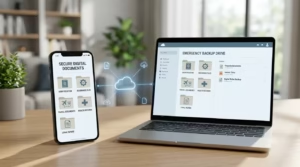
Cloud storage may not immediately seem like an emergency tool, but it can be extremely useful when you suddenly need access to an important document.
Many people keep copies of travel documents, insurance information, receipts, certificates, vehicle documents, and other files on their phones. If the phone is damaged or lost, those files may become difficult to access.
Keeping appropriate backup copies in a reputable cloud storage service gives you another way to access important information.
What documents can you keep?
Depending on your needs, you might store copies of:
- Travel documents
- Insurance information
- Vehicle-related documents
- Important receipts
- Educational certificates
- Booking confirmations
- Other important personal files
Be careful with sensitive documents. Choose a reputable storage provider, use a strong password, and enable two-factor authentication when available.
You should also avoid uploading sensitive information to unknown apps simply because they offer free storage.
Keep your files organized
Instead of uploading everything into one large folder, create a simple structure.
For example, you could create folders for:
- Travel
- Insurance
- Vehicle
- Education
- Important Documents
Good organization can save time when you need to find a particular file quickly.
6. Communication and Messaging Apps
Communication is one of the most important things during an emergency.
A reliable messaging or calling app can help you stay connected with family members, friends, colleagues, or other trusted people.
Depending on the application, you may also be able to share your location, send photos, or explain what has happened.
However, communication apps depend on your internet connection, mobile network, and the availability of the person you are trying to contact.
Create an emergency contact group
One simple preparation step is to create a small group with people you trust.
You might include:
- A family member
- A close friend
- Someone you live with
- Another trusted person
There is no need to include dozens of people. A few reliable contacts are generally more useful.
If you are in a stressful situation, keep your message simple and provide your location when it is safe to do so.
For example, you could send a short message explaining where you are and what kind of assistance you need.
7. Translation Apps
A language barrier can make an unexpected situation much more difficult, especially when travelling.
A translation app can help you understand basic instructions, communicate simple information, read signs, or translate written text.
This can be useful when travelling to another state or country where you are not familiar with the local language.
Useful translation features
Depending on the app, you may find features such as:
- Text translation
- Voice translation
- Camera-based translation
- Conversation translation
- Offline language support
Offline translation can be particularly helpful because you may not always have mobile data or Wi-Fi.
If you are travelling, download the required language packs before leaving and test them beforehand.
Don’t rely on automatic translation for serious situations
Translation technology has improved considerably, but it is not perfect.
An automated translation may misunderstand context, technical language, or local expressions. For serious medical, legal, or safety-related communication, try to involve a qualified person whenever possible.
A translation app should make communication easier, not replace professional assistance.
8. Weather and Disaster Alert Apps
Weather conditions can change quickly, and severe weather can create dangerous situations.
A reliable weather application can help you monitor forecasts and, depending on the service and location, receive information about heavy rain, storms, extreme temperatures, or other weather conditions.
This can be particularly useful before travelling, driving long distances, hiking, or spending time outdoors.
Why weather alerts are useful
Checking the weather only once in the morning may not be enough when conditions are changing quickly.
If your weather app supports notifications, you may be able to receive alerts about significant weather changes.
However, weather applications do not always provide official emergency warnings for every location. During a serious weather event, always pay attention to instructions from local authorities and official emergency services.
Before travelling, check:
- The forecast for your destination
- Severe-weather warnings
- Expected conditions along your route
- Changes in the forecast
- Official local alerts
A weather app is a helpful source of information, but it should not be your only source during a serious emergency.
9. Password Manager Apps
A password manager can help you securely manage the many passwords required for modern online accounts.
People often use separate accounts for email, banking, cloud storage, social media, work, and other services. Remembering strong and unique passwords for all of them can be difficult.
A reputable password manager can store your passwords securely and make them easier to access when needed.
Why can a password manager help during an emergency?
Imagine that your phone is lost and you need to access an important account from another device.
If your account recovery options and password-management system are properly configured, recovering access can be easier.
Password managers can also reduce the temptation to use the same password across multiple accounts.
Choose a password manager carefully
Because a password manager can contain highly sensitive information, security should be your priority.
Before choosing one, check:
- Who develops the service
- Available security features
- Privacy policies
- Two-factor authentication support
- Account recovery options
- Whether the service is regularly maintained
Never share your master password with another person, and avoid storing sensitive credentials in random or untrusted applications.
10. Battery and Power Management Apps
A smartphone is only useful during an emergency if it has enough battery power.
Your phone’s built-in battery settings can already help you monitor battery usage and reduce unnecessary power consumption. Depending on the device, you may also have battery saver or low-power modes.
You do not necessarily need a third-party battery application.
How to save battery during an emergency
If your battery is running low, you can:
- Turn on Battery Saver or Low Power Mode.
- Reduce screen brightness.
- Turn off unnecessary wireless connections.
- Restrict unnecessary background activity.
- Avoid watching videos or playing games.
- Close apps you are not using.
- Use your phone only for essential tasks.
Carrying a charged power bank is also a simple way to extend your phone’s battery life when travelling.
Be careful with applications that promise to dramatically improve battery life or “boost” your phone instantly. Many phones already provide the tools needed to manage battery consumption.
Other Important Phone Settings for Emergencies
Installing apps is only one part of preparing your phone.
Your smartphone may already have several useful emergency features built into the operating system. Depending on your device, these can include emergency calling, emergency contacts, location sharing, medical information, and device tracking.
Take a few minutes to explore the safety and emergency settings on your phone.
You should also make sure your phone has:
- A secure screen lock
- Updated operating system software
- Updated important applications
- Device-finding features enabled
- Emergency contacts configured
- A working charging cable
These simple steps can be more useful than installing a large number of unnecessary apps.
How to Choose Safe Emergency Apps
Not every app that claims to provide safety or emergency assistance should automatically be trusted.
Before installing an app, consider the following points.
Check the Developer
Look at the developer’s name and other information available on the app store.
Be cautious if an application comes from an unknown developer and asks for access to large amounts of personal information without a clear reason.
Read Recent Reviews
Do not look only at the overall rating.
Read some recent reviews and check whether users are reporting problems such as crashes, excessive advertisements, privacy concerns, or features that do not work as expected.
Review App Permissions
Pay attention to the permissions an app requests.
The permissions should make sense for the features the application provides. If a simple utility app asks for access to unrelated personal information, consider whether you really need it.
Keep Apps Updated
App updates can contain bug fixes, security improvements, and compatibility changes.
Keep important applications updated and remove apps that you no longer use.
Avoid Unrealistic Claims
Be careful with applications that promise guaranteed safety, instant medical diagnoses, unlimited tracking, or other unrealistic features.
An emergency application should provide useful tools and information rather than make promises it cannot realistically keep.
Don’t Depend Entirely on Your Smartphone
A smartphone can be extremely useful during an emergency, but it should not be your only plan.
Your phone can run out of battery. Mobile networks can stop working. Internet access may not be available everywhere, and an application can sometimes fail.
For this reason, basic preparation is still important.
Depending on your situation, consider carrying:
- A charged power bank
- A charging cable
- Some emergency cash
- Important phone numbers written down
- Basic first-aid supplies when appropriate
- Necessary personal documents
- Essential personal medication when applicable
The items you need will depend on your destination, travel plans, and personal circumstances.
A Simple Emergency Phone Checklist
Before travelling or starting a long journey, take a few minutes to check your phone.
Phone
- Is the battery sufficiently charged?
- Is Battery Saver available?
- Do you have your charging cable?
- Is your power bank charged?
Contacts
- Are emergency contacts saved?
- Can you quickly reach someone you trust?
- Do you have important numbers written down somewhere?
Location
- Is your maps application working?
- Have you saved important destinations?
- Have you downloaded offline maps if needed?
Documents
- Are important documents backed up securely?
- Can you access your cloud storage account?
- Is two-factor authentication enabled where appropriate?
Safety
- Are your phone’s emergency features configured?
- Is device tracking enabled?
- Is your screen lock active?
Travel
- Have you checked the weather?
- Do you have a translation tool if you need one?
- Do you know the appropriate local emergency contact numbers?
Final Thoughts
You cannot predict when an emergency will happen, but you can prepare your smartphone before one occurs.
Useful apps for navigation, communication, safety, documents, translation, weather information, and account security can make your phone a valuable tool when something unexpected happens.
The most important thing is not to install as many apps as possible. Instead, choose a small number of trustworthy applications, understand how they work, check their permissions, and test important features before you actually need them.
It is equally important to keep your phone charged, maintain a backup of important information, and know how to use your phone’s built-in emergency features.
Finally, remember that apps are supporting tools. In a serious situation involving immediate danger, a medical emergency, fire, an accident, or another urgent threat, contact the appropriate local emergency service and follow instructions from qualified professionals or authorities.
A prepared smartphone cannot prevent an emergency, but it can help you communicate, find information, access important documents, and make better decisions when you need those tools most.