
Introduction
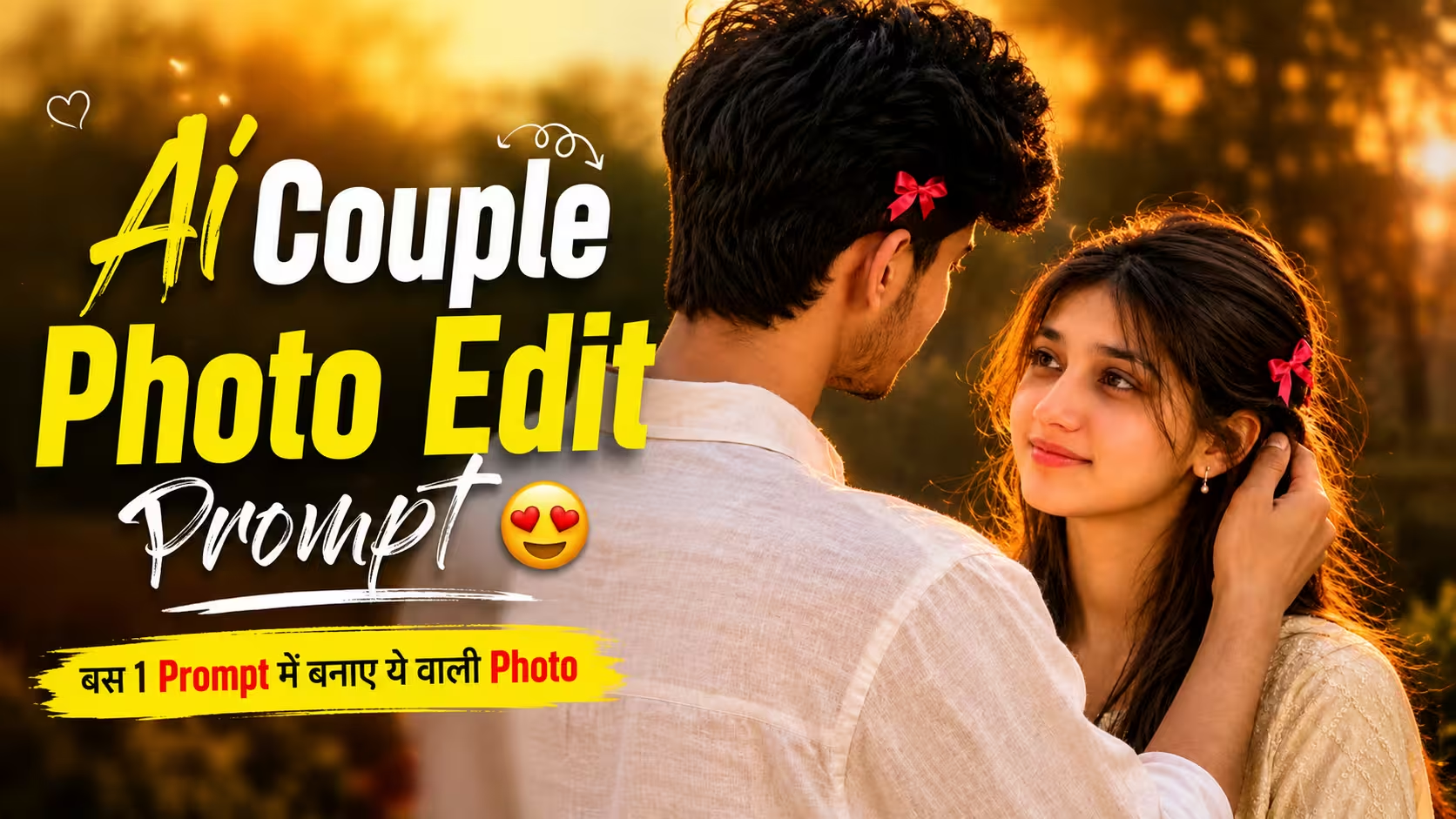
AI photo editing has changed the way people create and share couple photographs. What once required a camera, a suitable location, professional lighting, and a lot of editing work can now be created with the help of modern AI image editing tools.
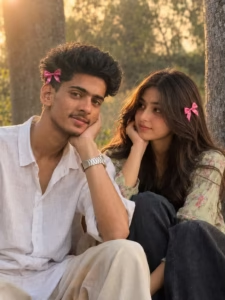
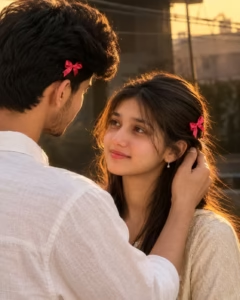
One of the most popular styles is the romantic AI couple photo, where two separate reference pictures are combined into a natural-looking scene. With the right images and instructions, you can create a photo that feels like the couple was photographed together in the same place.
In this guide, I will explain the complete process of creating a realistic 4:5 AI couple photo, including how to choose reference images, prepare them, create the scene, maintain facial identity, and improve the final result.
What Is an AI Couple Photo?
An AI couple photo is an image created or edited with the help of artificial intelligence using one or more reference photographs.
For example, you may have one photograph of a boy and another photograph of a girl. Instead of manually cutting both people from their original backgrounds and combining them in Photoshop, an AI editing tool can use the photographs as visual references and create a new composition.
The final image can place both people in the same environment with matching lighting, realistic shadows, natural poses, and a consistent photographic style.
The important thing is that AI editing should be treated as a creative editing process. The quality of the final image depends heavily on the reference photographs and the instructions given to the tool.
What You Need Before Starting
The process is quite simple, but preparing the right material can make a noticeable difference.
You will generally need
- A clear photo of the first person
- A clear photo of the second person
- An AI image editing tool that supports reference images
- A suitable aspect ratio, such as 4:5
- A detailed description of the scene you want to create
Try to select photographs with good resolution and clearly visible faces. Images that are extremely dark, blurry, heavily filtered, or partially covered may make it harder for an AI tool to preserve the person’s appearance accurately.
Photo Prompt ⬇️
Tips for a More Realistic AI Couple Photo
The simplest images often look the most convincing.
Avoid adding too many effects, dramatic colors, excessive blur, or unrealistic lighting. Real smartphone photographs usually contain small imperfections, natural skin texture, individual hair strands, fabric folds, and subtle exposure differences.
Another useful tip is to keep the background relatively simple. A softly blurred outdoor environment can provide depth without distracting attention from the couple.
Most importantly, don’t over-edit the faces. Natural facial texture is much more believable than perfectly smooth skin.
Common Mistakes to Avoid
1. Using Low-Quality Reference Photos
Blurry, dark, or heavily compressed images can make it difficult for the AI to understand facial features and other details.
Better approach: Use clear, high-resolution photographs whenever possible.
2. Using Heavy Beauty Filters
Heavily edited selfies can make facial features less natural and may lead to inconsistent results.
Better approach: Use original or lightly edited photographs with natural skin texture.
3. Giving Vague Instructions
A short instruction such as “make a romantic couple photo” leaves many creative decisions to the AI.
Better approach: Clearly describe the pose, clothing, lighting, background, expressions, and composition you want.
4. Adding Too Many Effects
Excessive glow, HDR, sharpening, dramatic colors, and artificial bokeh can make the image look obviously AI-generated.
Better approach: Keep the lighting and effects subtle and believable.
5. Making Accessories Too Large
Oversized bows, jewelry, or other accessories can quickly make a realistic photograph look artificial.
Better approach: Describe accessories as small, natural, and properly integrated into the scene.
Why Reference Images Matter So Much
Reference images provide the visual foundation for the entire edit.
If the original photographs are clear and detailed, the AI has more information to work with. This can help with facial features, hairstyles, clothing, and overall appearance.
Using two completely different photographs is not necessarily a problem. The AI can create a new scene, but you should give it clear instructions about the desired composition and identity preservation.
The better the references, the easier it is to achieve a convincing result.
FAQ
1. What is an AI couple photo?
An AI couple photo is an image created or edited using artificial intelligence by combining reference photos of two people into a new scene or composition.
2. Can I create an AI couple photo from two separate pictures?
Yes. If your AI editing tool supports multiple reference images, you can upload separate photos of both people and describe the couple scene you want to create.
3. What aspect ratio is best for a couple photo?
A 4:5 vertical aspect ratio works well for portrait-style couple photos, especially when you want to share the image on social media.
4. How can I keep the original face in an AI-generated couple photo?
Use clear reference photographs and explicitly instruct the AI to preserve the natural facial structure and identity. It is also important to check the generated result against the original images.
5. Why does AI sometimes change the face?
AI creates a new image based on the information it receives. If the reference image is unclear or the instructions are not specific enough, facial features can sometimes be changed or reinterpreted.
Final Thoughts
Creating a romantic AI couple photo is now much easier than traditional photo compositing. With two good reference photographs, a suitable AI editing tool, and clear instructions, you can create a realistic-looking couple portrait in just a few steps.
The most important factors are good reference images, accurate facial identity, natural poses, realistic lighting, believable details, and proper composition.
For this style, a 4:5 vertical frame combined with warm golden-hour lighting creates a soft and cinematic appearance without requiring complicated editing.
Remember that AI-generated results can vary from one generation to another. If the first result doesn’t look right, make small adjustments and try again. Pay particular attention to faces, hands, hair, clothing, and lighting before choosing the final image.
With a little experimentation, you can create a polished AI couple photograph that looks natural, personal, and suitable for sharing on social media or using in creative projects.