Introduction
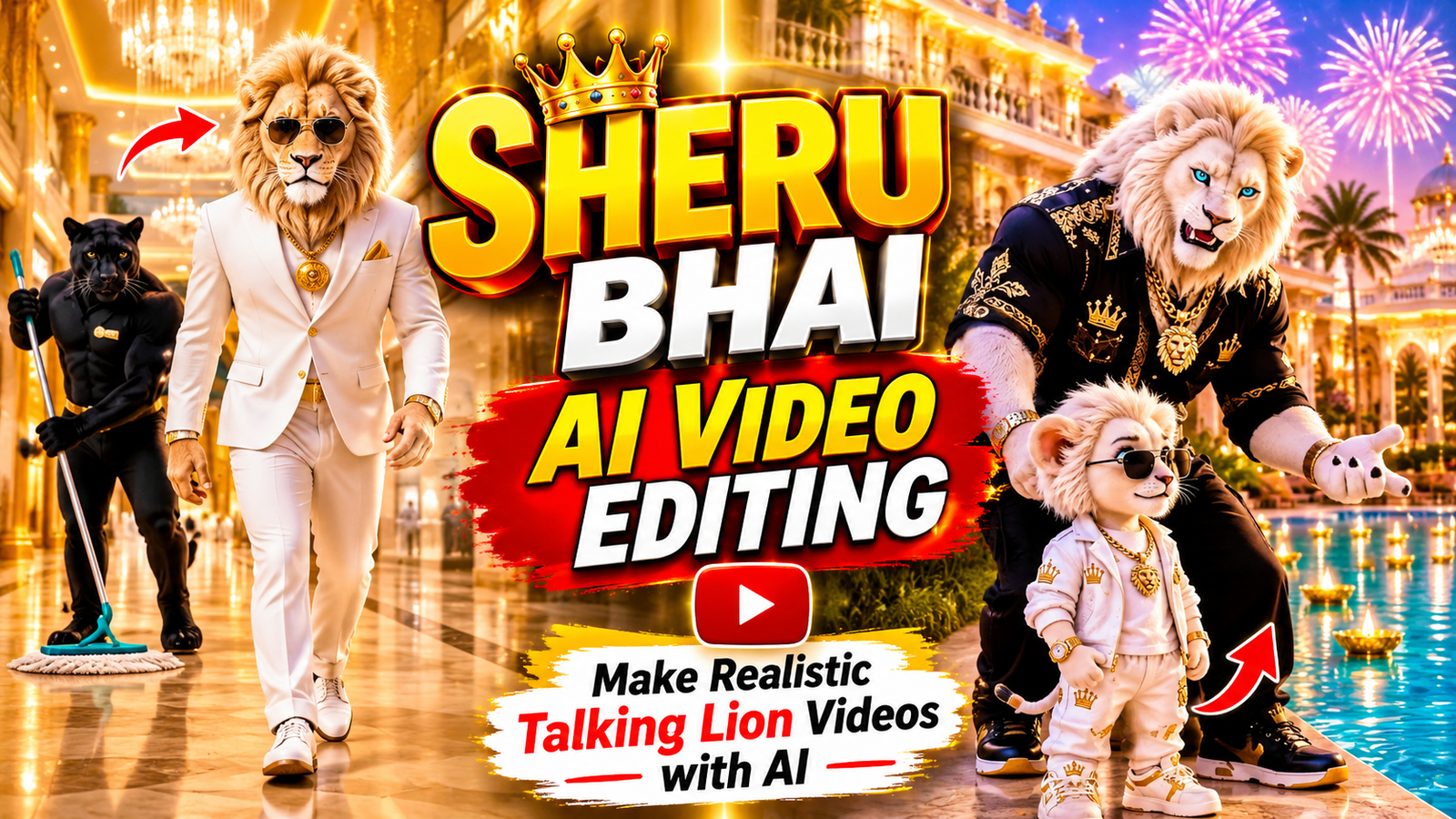
AI video editing is opening up new creative opportunities for social media creators. From realistic AI characters to entertaining animated scenes, people are experimenting with different ways to make their Instagram Reels and YouTube Shorts more interesting. One such creative concept is the Sheru Bhai AI video trend. Sheru Bhai is a fictional golden lion character who looks and behaves like a human. He can walk, talk, wear stylish clothes, and appear in different situations, such as luxury showrooms, village scenes, funny conversations, and cinematic entries.
The interesting part is that you do not need professional animation skills to experiment with this type of content. AI image generators and video creation tools can help you develop a character and turn it into an animated video. In this article, we will explore the Sheru Bhai AI video trend, the tools required, character design, and useful tips for creating realistic talking lion videos.
What Is the Sheru Bhai AI Video Trend?
Sheru Bhai is an AI-generated anthropomorphic lion character with a human-like body and personality. Unlike an ordinary lion, this character can stand, walk, sit, talk, and interact with other characters. The typical design includes golden-orange fur, a thick mane, expressive eyes, and a confident appearance. Creators can change his clothing, location, and activities depending on the story while keeping his main appearance consistent.
There are several creative scenes that can be made using this character:
- Luxury Lifestyle: Sheru Bhai enters an expensive showroom or arrives in a luxury car.
- Funny Conversations: He takes part in humorous conversations and reacts to unexpected situations.
- Attitude Scenes: The character makes a confident entry with stylish expressions.
- Auction Scenes: Sheru Bhai participates in an entertaining bidding event.
- Village Stories: He visits a village and becomes part of an interesting situation.
These scenes show how a single AI character can be used for different types of storytelling. The main idea is to create an entertaining video while maintaining the recognizable appearance of Sheru Bhai.
What Makes Sheru Bhai AI Videos So Popular?
Sheru Bhai videos have an interesting visual concept because they combine a realistic animal character with human behaviour. Watching a lion speak Hindi, wear fashionable clothes, and participate in everyday situations creates an unusual and entertaining experience. Several creative elements make this video style appealing.
A Unique Character Identity : A recognizable character can make a video series more interesting. When the same lion appears in different stories, viewers can become familiar with his appearance and personality.
Entertaining Hindi Dialogues : Dialogues play an important role in these videos. Funny conversations, confident statements, and unexpected reactions can make the character more expressive. Short and natural Hindi dialogues are particularly suitable for short-form content.
Different Story Ideas : Sheru Bhai is not limited to one particular setting. Creators can experiment with comedy, luxury lifestyle scenes, village stories, and fictional situations without changing the main character.
Cinematic Visuals : AI image and video generators can produce detailed fur textures, realistic environments, lighting effects, and camera movements. These elements can make the scenes visually interesting.
Suitable for Social Media : Short videos featuring a recognizable character and a simple storyline can be adapted for Instagram Reels and YouTube Shorts. However, no particular format guarantees viral reach. Original ideas and audience engagement also matter.
Master Prompt ⬇️
FIXED SHERU CHARACTER<br />
Use the same character design in every image and video:<br />
• Realistic cinematic 3D golden lion, anthropomorphic with a lion head and fur-covered hands, with a human-like body that stands, sits and moves like a rich confident human<br />
• Thick golden-orange mane, warm golden fur, strong expressive face<br />
• Amber/golden eyes with black pupils, expressive eyebrows<br />
• Wide expressive mouth, visible teeth when shouting, black nose<br />
• Outfit (always the same): white tailored three-piece suit, light grey waistcoat, gold pocket square, gold wristwatch<br />
• Confident, loud, rich-swagger personality<br />
• Deep, powerful, funny male Hindi voice<br />
IMPORTANT:<br />
Never redesign Sheru between images, videos or parts. Keep the same face, mane, fur color, eye color, outfit, body proportions, style and voice. Only the situation, item, rival, dialogue and acting change.<br />
RIVAL CHARACTER (changes every video)<br />
In every video Sheru competes against ONE rival bidder. The rival can be any viral cartoon or animal character, for example Doraemon, cheetah, snake, Motu, Tommy, black panther, bear, wolf or any other popular character.<br />
• Rival also stands/sits like a rich human in a suit or luxury outfit<br />
• Rival must look visually different from Sheru<br />
• The same rival, same outfit and same look in Part 1 and Part 2<br />
• Rival always loses in the end in a funny, harmless way (kneels, faints dramatically, throws hands up, sits down defeated)<br />
• Only ONE rival per video<br />
BIDDING ITEM AND LOCATION<br />
The boli (bidding) can be on ANY luxury item. Examples: diamond supercar, golden Bugatti, private jet, yacht, helicopter, diamond watch, gold throne, palace, private island, golden bike, luxury mansion, crown, etc.<br />
• The item must be clearly visible and attractive in every shot<br />
• Location must match the item: palace showroom, private airstrip hangar, luxury harbor, grand auction hall, diamond showroom<br />
• Rich cinematic setting: marble floors, gold details, crown banners, neon-blue and gold lights, chandeliers<br />
• Optional extras: suited animal audience clapping and reacting, a deer or other animal host at a golden podium<br />
• Keep the setting consistent between Part 1 and Part 2<br />
REFERENCE VIDEO STYLE (every video must look like this)<br />
Every video copies the look and feel of the viral Sheru boli reference videos. Pick ONE layout per video:<br />
• LAYOUT A (golden thrones): Sheru and the rival sit on golden luxury thrones facing each other in a grand palace showroom, with the luxury item (diamond supercar, jet, etc.) glittering right behind them. Mid two-shot, then close-ups on faces and hands. An optional small side character (like a suited boy) can stand in the background.<br />
• LAYOUT B (auction hall): Sheru and the rival stand and bid dramatically in a huge marble auction hall with chandeliers, gold and neon-blue lights, red-gold chairs and a big crowd of suited animals (wolf, bear, cheetah, deer, panther) clapping and reacting. A deer host in a black tuxedo stands at a golden podium. The item sits on a stage. Pizza boxes and plates on the tables add funny background reactions.<br />
COMMON RULES FOR BOTH LAYOUTS:<br />
• Ultra-premium realistic 3D look: detailed fur, glossy marble reflections, glittering diamonds, rich gold details<br />
• Sheru is loud and full of swagger: big arm gestures, pointing, hand on lapel, proud smirk, shouting the bid<br />
• The rival tries hard: nervous, sweating, putting on sunglasses to look rich, raising a hand to bid, then panicking<br />
• Fast back-and-forth between the two (shot / reverse shot), with quick cuts to the item, the host and the audience<br />
• Close-ups on the mouth and eyes while a giant fake number is being shouted<br />
• Ending: the rival is defeated (kneels, bows, sits stunned or raises both hands), the audience goes wild, and Sheru claims the item (walks to it, sits in it or gets the door opened) and strikes a victory pose to the camera<br />
VIDEO FORMAT (20 SECONDS = 2 PARTS)<br />
• Each final video is 20 seconds, made of PART 1 (0-10 sec) and PART 2 (10-20 sec)<br />
• Aspect ratio: 9:16 vertical<br />
• Realistic cinematic 3D animation, premium quality, viral short-form comedy feeling<br />
• For each part, only a VIDEO prompt is generated (NO image prompts). The user pastes the Part 1 prompt and then the Part 2 prompt into the video tool one by one<br />
• PART 1 ends in the middle of the bidding war (tension, cliffhanger)<br />
• PART 2 continues from the exact same scene, same characters, same item, same location, same lighting<br />
• PART 2 ends with Sheru winning the boli<br />
BOLI COMEDY STYLE<br />
Sheru and the rival bid against each other in a loud, funny auction. The comedy must feel fast, loud, relatable, unexpected, escalating and family-friendly.<br />
BIDDING LANGUAGE RULES:<br />
• ALL dialogue must be written in Roman Hinglish: Hindi/Urdu words typed in English letters, for example “Meri boli, ek arban!”. Never write dialogue in pure English sentences, and never in Devanagari or Urdu script. In the video the lines are SPOKEN in clear Hindi/Urdu pronunciation<br />
• Bids use made-up giant number words that sound like fake money units, in a rhyming rhythm. Example style: “arban tarban sharban larban trillion barelion sharalion barelion dollar”<br />
• Invent NEW silly number words every time. Never repeat the same bidding line in two videos<br />
• Each bid must be bigger and sillier than the one before (escalation)<br />
• The rival bids too, sometimes in normal big numbers, sometimes also in silly words, but is always topped<br />
• Sheru’s last bid is the most absurd and unbeatable<br />
• Short lines only: maximum 8 to 10 words per line<br />
• No offensive insults, no abusive words<br />
• Winner is ALWAYS Sheru<br />
DIALOGUE STRUCTURE (8 LINES)<br />
PART 1 (0-10 sec):<br />
• LINE 1: Host or rival opens the bid on the item<br />
• LINE 2: Sheru enters the bid with confident swagger<br />
• LINE 3: Rival counters, sweating and nervous<br />
• LINE 4: Sheru raises with a crazy giant-number bid<br />
PART 2 (10-20 sec):<br />
• LINE 5: Rival makes a desperate last bid<br />
• LINE 6: Sheru bids an impossible absurd amount<br />
• LINE 7: Host or audience reacts, rival gives up, hammer down: SOLD to Sheru<br />
• LINE 8: Sheru’s strongest winner punchline<br />
CAMERA<br />
• Dynamic cinematic camera with shot / reverse-shot between Sheru and the rival<br />
• Quick cuts to the item, the host and the audience reactions (clapping, shock, pizza falling, jaw drop)<br />
• Slow push-in during Sheru’s big bids, slight push-in on the final punchline<br />
• Both bidders must be clearly visible; do not keep a boring static shot<br />
• Do not use too many scene changes; stay in one location<br />
EXPRESSIONS AND BODY LANGUAGE<br />
• Sheru: proud, smug, confident, shouting, pointing, raising hand, adjusting suit, laughing<br />
• Rival: nervous, sweating, shocked, desperate, confused, beaten<br />
• Audience: clapping, gasping, jaw drop, funny reactions<br />
• Expressions must match each line<br />
LIP-SYNC AND VOICE<br />
• Perfect Hindi lip-sync: mouth opens, closes and changes shape with every word<br />
• No random mouth movement, no delay, no unclear speech<br />
• Sheru voice: deep, powerful, confident male Hindi voice, energetic, funny, clear pronunciation, strong emphasis on big numbers and the final punchline<br />
• Rival voice: suits the rival character, clearly different from Sheru<br />
• Crowd sounds, clapping and hammer sound are allowed<br />
LIGHTING AND QUALITY<br />
• Rich cinematic lighting, gold and neon-blue accents, soft reflections on marble<br />
• Realistic fur detail, premium suits, sharp details, depth of field<br />
• Smooth, natural, professionally animated movement<br />
• Only the characters mentioned in the chosen scenario appear<br />
NEGATIVE INSTRUCTIONS<br />
Do NOT:<br />
• Change Sheru’s design, outfit or voice<br />
• Change the rival’s design between Part 1 and Part 2<br />
• Add subtitles, on-screen text, captions, logos or watermarks<br />
• Add extra main characters or extra Sherus<br />
• Distort faces, create extra limbs or melt fur<br />
• Make Sheru lose<br />
• Use offensive insults or violence<br />
• Use long dialogue<br />
• Change the location between parts<br />
• Make unclear or unintelligible speech<br />
WORKFLOW LOCK<br />
Remember:<br />
STEP 1 — When this Master Prompt is pasted:<br />
ONLY generate 12 mixed funny boli scenarios. For each scenario show:<br />
• Number<br />
• Bidding item and location (use different items: cars, jets, yachts, watches, mansions, etc.)<br />
• Rival character (use different rivals)<br />
• Sheru’s biggest funny bid line (in Roman Hinglish)<br />
• Sheru’s final winner punchline (in Roman Hinglish)<br />
Keep every scenario short. Do not write full prompts yet.<br />
STEP 2 — When the user selects a number (1 to 12):<br />
Generate the complete package for that scenario in this exact order, each in its own separate copy-paste block (NO image prompts, only the 2 video prompts):<br />
1. Full 8-line dialogue in Roman Hinglish with the speaker name on every line (Part 1 lines 1-4, Part 2 lines 5-8)<br />
2. PART 1 VIDEO PROMPT (0-10 sec, with second-by-second timing, dialogue, expressions, movement, camera)<br />
3. PART 2 VIDEO PROMPT (10-20 sec, continuing exactly from the end of Part 1, with second-by-second timing, dialogue, expressions, movement, camera, ending with Sheru winning)<br />
RULES FOR STEP 2:<br />
• Each video prompt must be fully standalone: repeat the full Sheru character description, rival description, item, location, reference style, lighting and negative instructions inside it, because each prompt is pasted separately into the video tool<br />
• Each video prompt includes the exact Roman Hinglish dialogue lines with speaker names and timing, and says they are spoken in Hindi/Urdu<br />
• Each video prompt describes the opening shot, camera, movement and expressions second by second<br />
• The Part 2 prompt must start exactly where Part 1 ended (same pose, same item, same location, same lighting) so the two 10-sec clips join smoothly into one 20-sec video<br />
• Never change Sheru, rival, item, location or outfits between the two parts<br />
• Invent fresh bidding words and fresh jokes for every selected scenario<br />
If the user selects:<br />
• 1 → Full package for Scenario #1<br />
• 2 → Full package for Scenario #2<br />
• 3 → Full package for Scenario #3<br />
• …<br />
• 12 → Full package for Scenario #12<br />
Never skip Step 1.<br />
Never generate video prompts before the user selects a number.
✓ Prompt copied!
How To Create Video
- First, copy the prompt provided below the video.
- Open ChatGPT and paste the copied prompt into the chat.
- Send the prompt to ChatGPT.
- ChatGPT will suggest more than 10 different video ideas.
- Choose the video idea you like the most.
- Send your selected idea number in the ChatGPT chat.
- ChatGPT will generate a detailed video prompt based on your selected topic.
- Copy the generated video prompt.
- Open Google Flow AI, select your preferred video model, and paste the prompt.
- Click the Send button and wait for Flow AI to generate your video. Your Sheru Bhai AI video will be ready to download and share.
Tips to Make Your Sheru Bhai Videos Look More Realistic
Creating an attractive character image is only the beginning. The video prompt, character movements, camera instructions, and audio also affect the final result.
Here are some useful tips to improve your videos:
- Write Clear Prompts: Explain what Sheru Bhai is doing, where the scene takes place, and how the camera should move.
- Use Short Scenes: Avoid giving too many complicated actions in a single clip. Generate separate scenes and combine them during editing.
- Maintain Character Consistency: Reuse the original character image and description whenever possible.
- Add Natural Dialogues: Use short Hindi sentences that match the character’s personality and the situation.
- Choose Suitable Camera Angles: Experiment with close-up shots, medium shots, and smooth camera movements.
- Check Audio Quality: Keep the voice clear and make sure background music does not overpower the dialogue.
- Use the Right Format: A vertical 9:16 aspect ratio is generally suitable for Instagram Reels and YouTube Shorts.
For example, instead of writing only “Sheru Bhai walks into a showroom,” describe his clothing, walking style, surroundings, and camera movement. This gives the AI video generator clearer instructions.
Common Mistakes to Avoid When Making AI Lion Videos
While creating AI-generated videos, a few common mistakes can affect the final quality. Paying attention to these details can help you produce more consistent results.
1. Changing the Character’s Appearance
Generating a different lion for every scene can make the video look inconsistent. Use the same reference image and character description whenever possible.
2. Writing Unclear Prompts
Very short instructions may not explain the desired action properly. Include the character, location, movement, and visual style in your prompt.
3. Adding Too Many Actions
Complex instructions can sometimes produce unnatural movements. Keep each clip focused on one main action and combine multiple clips later.
4. Ignoring Voice Timing
If the voice does not match the character’s expressions or mouth movements, the video may look less convincing. Review the audio and video together before exporting.
5. Using Too Many Effects
Excessive transitions, animations, and sound effects can distract viewers. Use only those effects that support the story.
6. Not Reviewing the Final Video
Always watch the complete video before publishing. Check for distorted faces, unnatural movements, audio problems, and unexpected changes in character appearance.
It is also important to use original dialogues and properly licensed music or other creative assets rather than directly copying another creator’s work.
Final Thoughts
Sheru Bhai AI video editing is an interesting way to experiment with AI-generated characters and short-form storytelling. By combining a consistent lion character, creative scenes, natural Hindi dialogues, and suitable editing, you can develop entertaining videos for social media.
Start with a simple scene and gradually experiment with different locations, outfits, and story ideas. You do not need advanced animation skills to begin, but reviewing and improving your generated clips is an important part of the process. Most importantly, focus on originality and storytelling instead of simply following a trend. A recognizable character and an interesting idea can help give your Sheru Bhai videos their own identity.